Endpoints
Endpoints are your URLs where we send notifications. You define them in the portal, under Profile → POS endpoints.
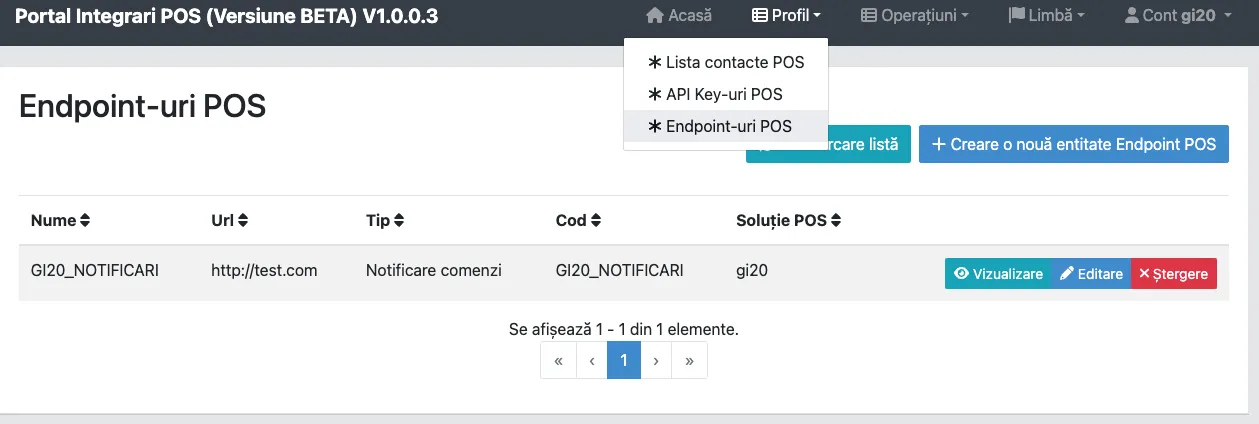
Choose Create POS endpoint.
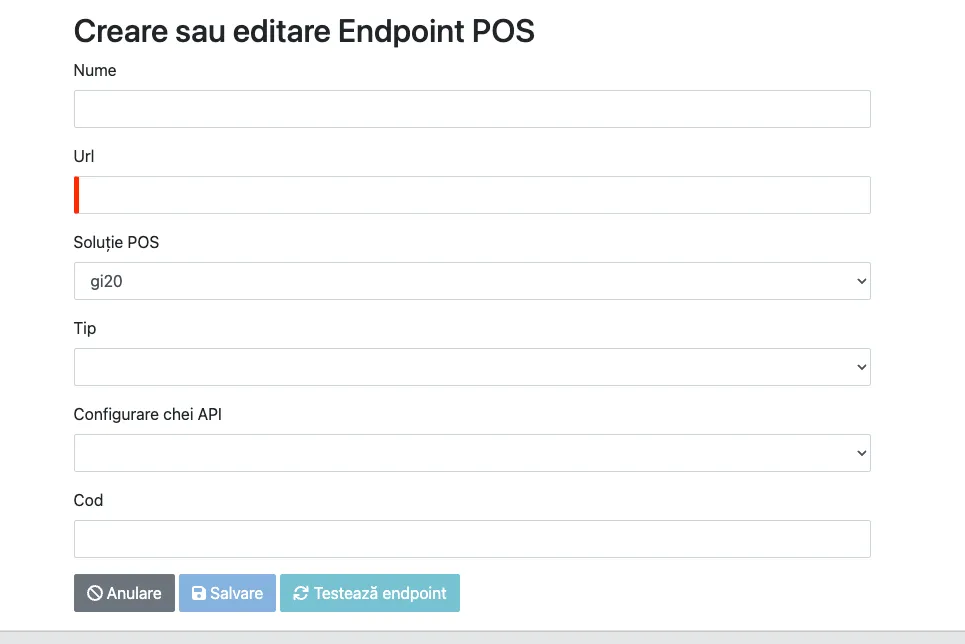
| Field | What you enter |
|---|---|
| Name | A descriptive name. |
| URL | The full address, with https://. |
| POS solution | Filled in automatically. |
| API key configuration | The key sent on Authorization towards this endpoint. |
| Code | An internal code for the endpoint. |
Endpoint types
Section titled “Endpoint types”| Type | What you receive |
|---|---|
| Order notification | Every new order. The only mandatory type. |
| Menu update result | The final outcome of a menu update, without polling for status. |
| Cancelled orders | Orders cancelled after they were already sent to you. |
The cancelled-order notification
Section titled “The cancelled-order notification”Worth implementing if the receipt prints automatically on arrival: without it, the kitchen starts an order the customer has since cancelled, and you find out only when no courier shows up.
How notifications are distributed
Section titled “How notifications are distributed”If you serve several clients, expose a single endpoint to us and distribute internally, on your
side, by store_id. Otherwise each client receives everyone else’s orders.
Endpoint requirements
Section titled “Endpoint requirements”| Requirement | Why |
|---|---|
HTTPS with a valid certificate |
Orders contain customer data. An expired certificate stops delivery. |
| Fast response | A slow endpoint looks like a failure to us and, with retry on, can lead to duplicated orders. |
2xx on success |
It is the only proof you received the order. See order lookup. |
Idempotent on order_code |
We may repeat ourselves. A unique index on order_code saves you from duplicates. |
What the endpoint must actually do: receiving orders.