API keys
The API key is the integration’s only authentication element. You define it once and use it in both directions — see authentication.
You need at least one key before you can define endpoints.
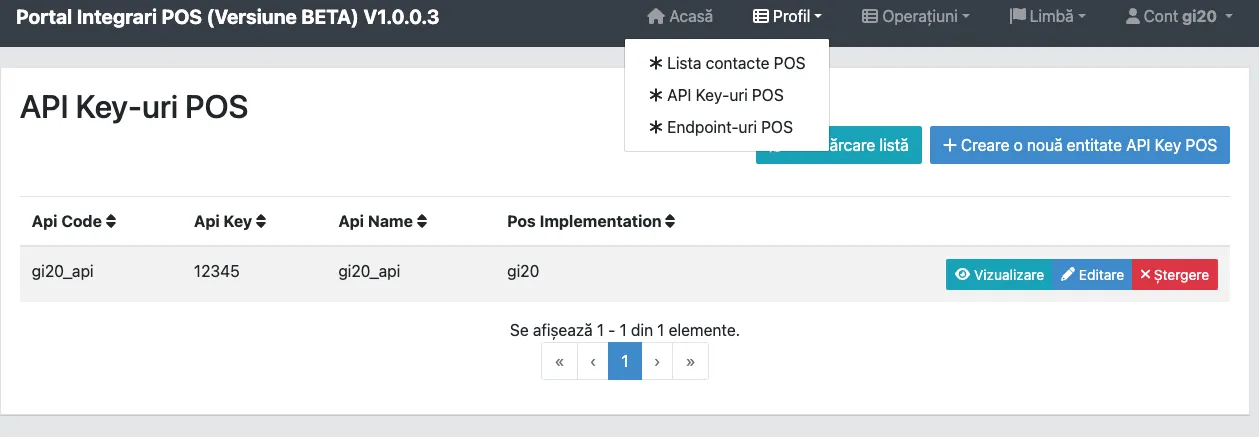
The key list
Section titled “The key list”Go to Profile → POS API keys.
Creating one
Section titled “Creating one”Choose Create POS API key.
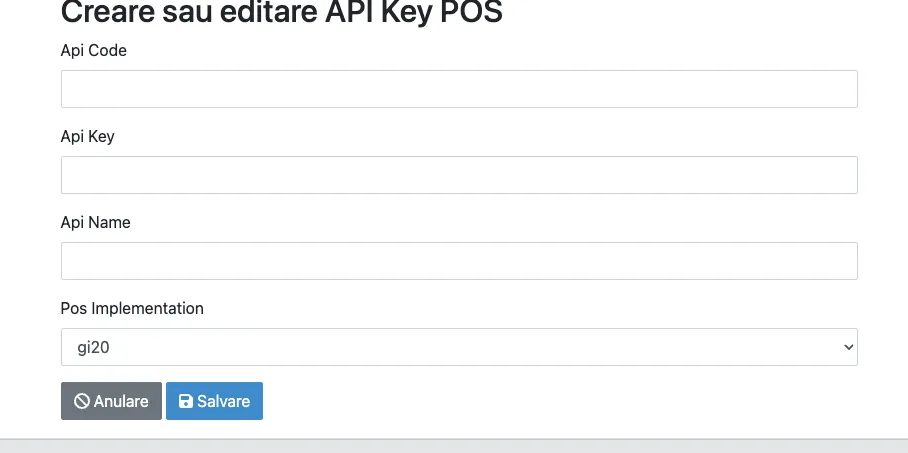
| Field | What you enter |
|---|---|
| API Code | An internal code of your choosing. Helps you find the key in the list. |
| API Key | The actual value, sent on the Authorization header. |
| API Name | A descriptive name, so you know a year from now what it was for. |
| POS Implementation | Filled in automatically with your solution. |
Good practice
Section titled “Good practice”- Separate keys per direction. One you call us with, one you expect from us. If one leaks, you rotate it without stopping the other direction.
- Separate keys per client, if you serve several clients through different endpoints.
- Do not put it in source control and do not send it over email or chat. The portal stays its source of truth.
For rotating without downtime, see authentication.