Delivery retry
By default we send the order once. If the call fails, the order does not reach you.
You can change that yourself: enable retry and choose how many attempts we make and how long we wait between them. The configuration is yours and applies only to your integration.
Before you enable it
Section titled “Before you enable it”It is worth enabling if:
- you get occasional timeouts but your system is idempotent;
- your endpoint sits behind components that blip (proxy, VPN, tunnel);
- you prefer an order delayed by a few seconds over a lost one.
Do not enable it if you have no deduplication, or if you would rather lose an order than duplicate it.
Where to configure it
Section titled “Where to configure it”Menu Profil → Reincercare la livrare. The screen is yours: you do not need an administrator.
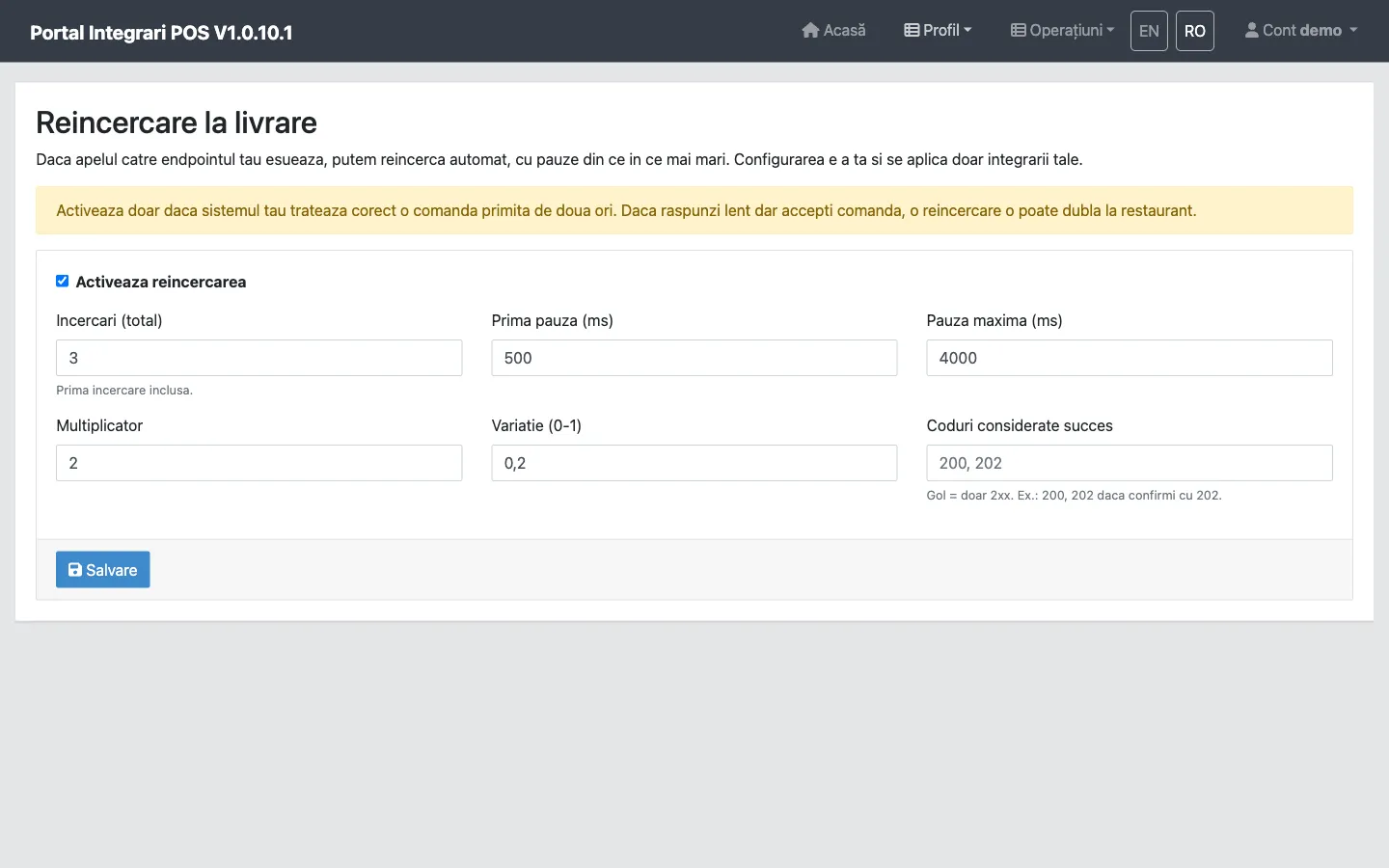
While the Activeaza reincercarea box is unticked, the other fields are not even shown: we send once, exactly as before this setting existed. Tick it and the six fields below appear.
What each field does
Section titled “What each field does”Incercari (total) — attempts
Section titled “Incercari (total) — attempts”The total number of calls, first attempt included. 1 means no retry; 3 means the initial
call plus two retries.
| Value | Result |
|---|---|
| 1 | A single call. Equivalent to retry off. |
| 2 | The initial call plus one retry. |
| 3 | The initial call plus two retries. The accepted maximum. |
We do not go above 3: every retry delays the order, and an order that reaches the kitchen minutes late helps nobody.
Prima pauza (ms) — first delay
Section titled “Prima pauza (ms) — first delay”How long we wait between the first and the second attempt. From the third onwards, the delay is multiplied by Multiplicator.
Multiplicator — multiplier
Section titled “Multiplicator — multiplier”How much the delay grows on each retry. 2 means each delay is double the previous one; 1 means
equal delays.
Pauza maxima (ms) — maximum delay
Section titled “Pauza maxima (ms) — maximum delay”The ceiling on a single delay, however far multiplication takes it. With the default values it is never reached — it only matters if you raise the first delay or the multiplier substantially.
Variatie (0-1) — jitter
Section titled “Variatie (0-1) — jitter”How much we randomise each delay, as a fraction of it. 0.2 means ±20%: a 500 ms delay becomes
anywhere between 400 and 600 ms.
It exists so we do not retry every pending order in the very same millisecond once your endpoint recovers — otherwise it would take the whole burst at once.
Coduri considerate succes — success status codes
Section titled “Coduri considerate succes — success status codes”Which HTTP codes we treat as success. Empty means any 2xx, which suits almost everyone.
Fill it in only if your system confirms with a specific code — for example 202 Accepted for
asynchronous processing. Separate them with commas: 200, 202.
Accepted limits
Section titled “Accepted limits”The values are checked on the server. Anything outside them is not saved — you get a 400, with
the rejected field named in the response.
| Field | Minimum | Maximum |
|---|---|---|
| Incercari (total) | 1 | 3 |
| Prima pauza (ms) | 0 | 10,000 |
| Pauza maxima (ms) | 0 | 10,000 |
| Multiplicator | 1 | 10 |
| Variatie (0-1) | 0 | 1 |
| Coduri considerate succes | — | 10 codes, each between 100 and 599 |
The ceilings exist because retries run inside the processing of the order. A wide policy does not merely delay the order towards the restaurant, it keeps the processing occupied. With the limits above, the total wait cannot exceed about 24 seconds.
The default values
Section titled “The default values”When you tick Activeaza reincercarea, the fields arrive pre-filled:
| Field | Default |
|---|---|
| Incercari (total) | 3 |
| Prima pauza (ms) | 500 |
| Pauza maxima (ms) | 4000 |
| Multiplicator | 2 |
| Variatie (0-1) | 0.2 |
| Coduri considerate succes | empty (any 2xx) |
With those, an order that fails twice and succeeds on the third attempt looks like this:
| Attempt | Delay before | With ±20% jitter |
|---|---|---|
| 1 | — | immediately |
| 2 | 500 ms | 400 – 600 ms |
| 3 | 1000 ms | 800 – 1200 ms |
Worst-case total delay is about 1.5 seconds — enough to ride out a brief blip, too little to matter to the customer.
What you see afterwards
Section titled “What you see afterwards”Every attempt — successful or not — appears in order lookup, with the time, the preceding delay, the HTTP code and the error.
That is where you check whether retry is actually helping: if most orders only succeed on the last attempt, you have an availability problem that retry is merely masking.
Turning it off
Section titled “Turning it off”Untick Activeaza reincercarea and save. We go back to a single attempt, exactly as before the setting existed.